New batteries are hard to be charged. Sometimes, your electronic device may indicate a fully charged condition about 10 to 15 minutes when the new battery pack is being charged for the first time. When this happens, remove the battery pack and let it cool down for about 10 to 15 minutes then repeat the charging procedure. Sometimes, a new battery will suddenly refuse to be charged. If this happens, a suggested solution is trying to remove the battery from the device and insert it again.
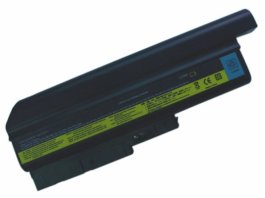
Replacement IBM ThinkPad T60 R60 Z60 Z61 Series Battery Specification:
IBM ThinkPad T60 R60 Z60 Z61 Series Battery
Cell Type: Li-ion, 9 Cells
Capacity: 7200mAh
Voltage: 10.8V
Color: black
Brand New Replacement Product, works as genuine parts, 100% OEM Compatible!!
It does not work with 42V9339 SBB 7 CELL LI-ION BATERRY if you would like to use docking station.
IBM ThinkPad T60 R60 Z60 Z61 Series Battery Compatible Part Numbers:
IBM / Levono 40Y6795, 40Y6797, 40Y6799, 41N5666, ASM 92P1128, ASM 92P1130, ASM 92P1132, ASM 92P1138, ASM 92P1140, FRU 92P1127, FRU 92P1129, FRU 92P1131, FRU 92P1133, FRU 92P1137, FRU 92P1139, FRU 92P1141

No comments:
Post a Comment